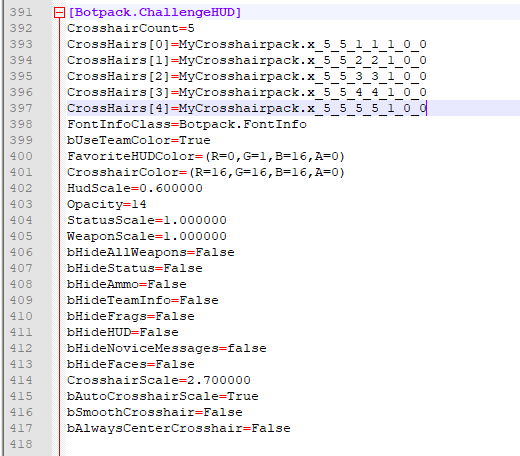
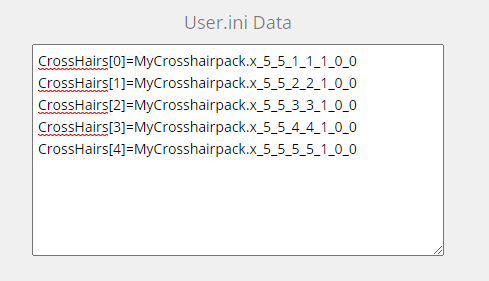
Click download below each crosshair you would like to download and to update the User.ini Data block with it's information. Crosshairs are automatically named and will not cause name conflicts with others with different variables.
User.ini Data
How to import into Unreal Tournament
In order to use your created crosshair(s) you need to import them using UnrealED.exe which is located in you Unreal Tournament System folder, run the program to get started.
With UnrealED open, click the texture browser icon/button highlighted in the red box.
Now click File, then Import.
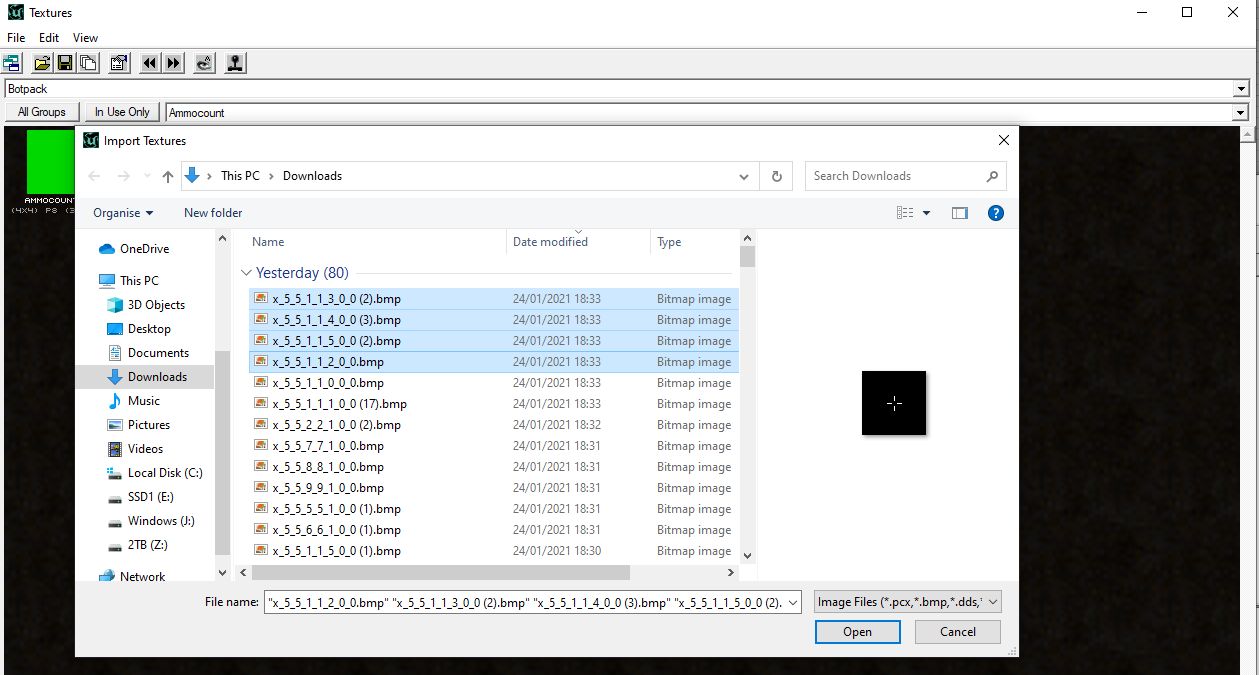
You can now select the files you created earlier, then click open. Important notes:If you are running Unreal Tournament v436 you will only be able to import .bmp images, 469 you can import both .bmp and .png, v451 has many issues with unrealEd if you can get it to run at all you can only import .bmp files.
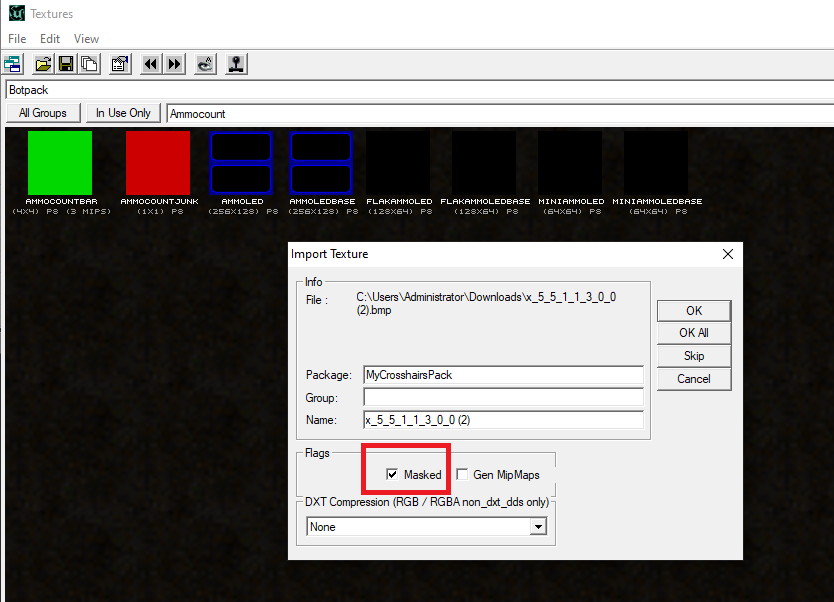
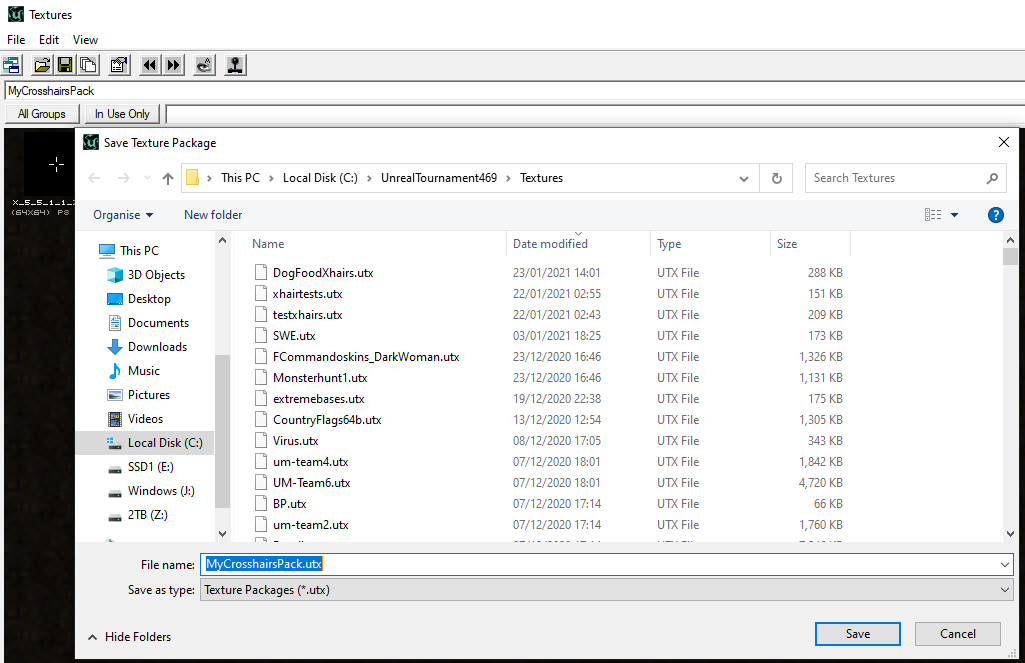
With the Import Texture window open, give your package a name, group can be left empty, and don't change the name field.
Now untick "Gen MipMaps", and tick "Masked".
Now you can click the OK button to import one at a time, or OK all to do them all at once.
Next all you have to do is save the package by clicking the save icon or clicking File then save.
You can now close UnrealED.
In your Unreal Tournament System folder find the file called User.ini and open it.
Now look for the block called [Botpack.ChallengeHUD]
Now grab the data from above in the User.ini Data for the crosshairs you created earlier, and replace it in your User.ini overwriting the current crosshairs[X]=pack.name. Important:CrosshairCount must be set to the total crosshairs you have currently installed, if it's lower you won't be able to access all the crosshairs in game, there is however a max limit of ~ 20 per time.
Now save User.ini and close it.
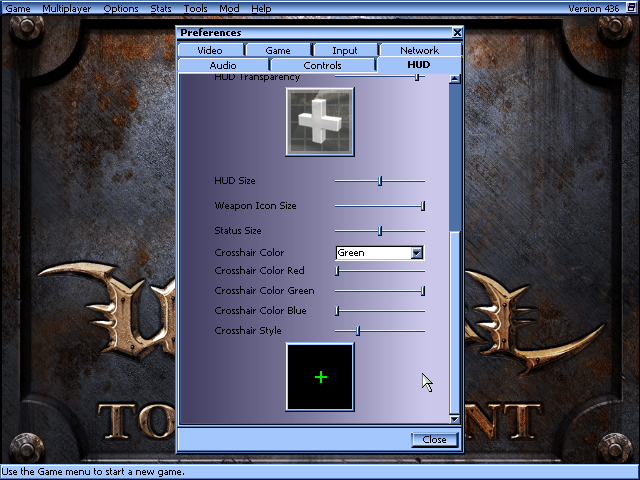
Run Unreal Tournament like you normally do, when you are in the main menu click on Options -> Preferences, then go to the HUD tab.
When you scroll to the bottom you will see a slider called Crosshair Style, moving this will allow you to select the crosshairs you have added to User.ini


 Important:CrosshairCount must be set to the total crosshairs you have currently installed, if it's lower you won't be able to access all the crosshairs in game, there is however a max limit of ~ 20 per time.